
You learn something new every day, and today I learned about Agent’s Guides!
Contents
- What are agent’s guides?
- How do you make your own?
What are agent’s guides?
I’ve clearly been out of the querying and writing community for a while when I was full-time teaching, but now I’m back (hire me for editing services!) and learning what’s new. That includes Agent’s Guides (Or Agents’ Guides), a sort of visual query letter that you can pin to the top of your social media profiles, like BlueSky or Threads.
Writers’ BlueSky seems to be the descendant of WriterTwitter, so I’m going to send you there for inspiration: Agents Guides on BlueSky
Here are some that caught my eye. For alt text and to read them on BlueSky, tap the image or caption.

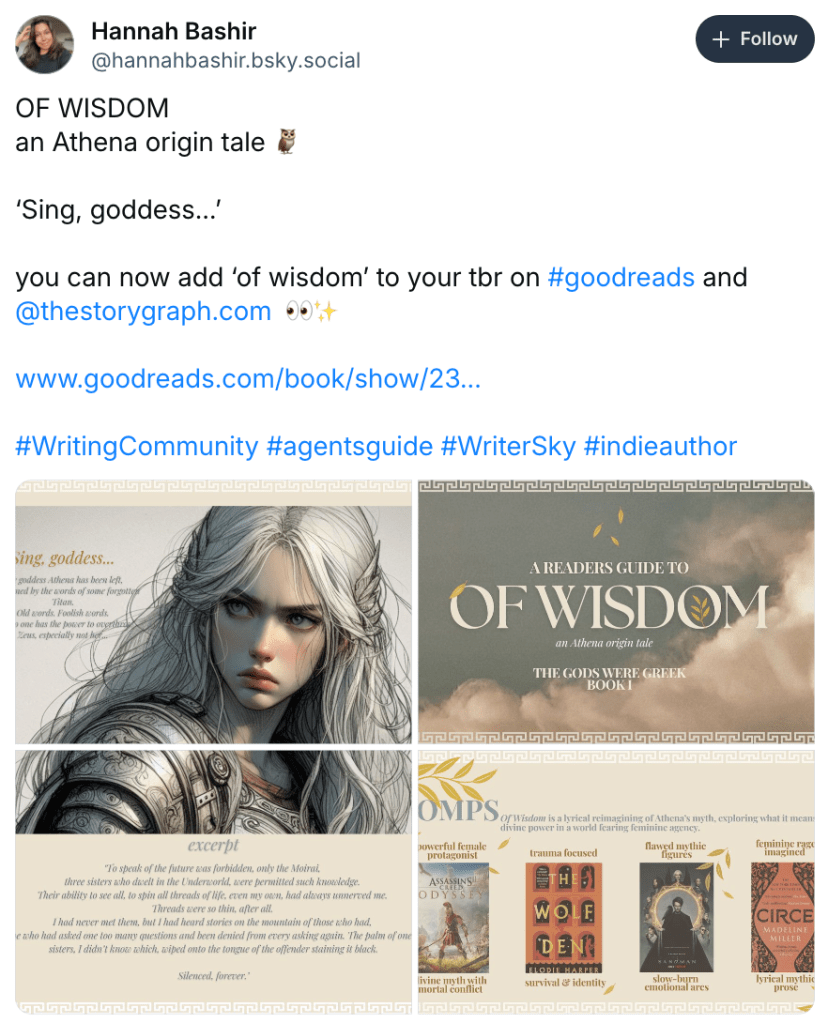


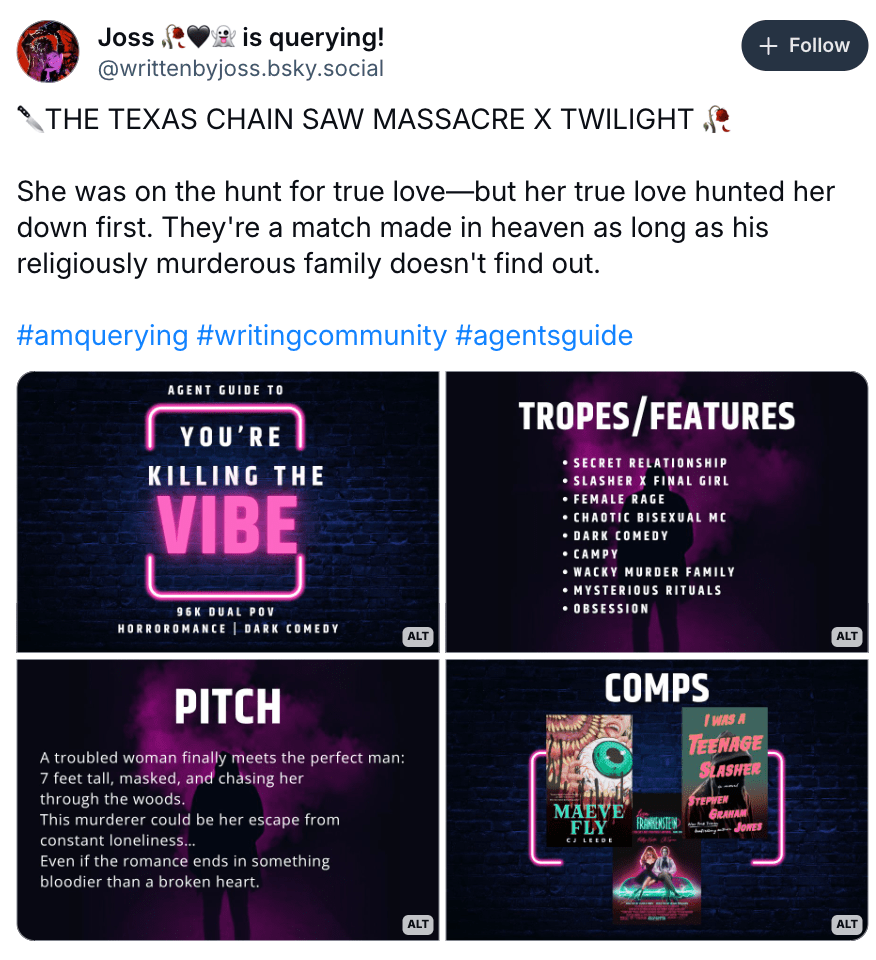
How do you make your own?
Create your canvases
First, choose how you will make your images. You can do this in Canva, but you can also do it for free using Google Slides!
In Canva, choose “Create” on the left menu. Then at the bottom left-corner of the pop-up, choose “Custom Size.” Enter 1200 px by 800 px.
In Google Slides, choose “Blank Presentation” or choose a template. Under “File,” choose “Page Setup.” From the dropdown, select “Custom Size.” Where it says “inches,” switch it to “pixels.” Then enter 1200 x 800.
Note: 1200 x 800 is the size that BlueSky crops images when they are presented in a series of 4. Those dimensions could change, so you might want to look at someone else’s cropped images and see if the dimensions look similar. You can also do what I did and take a screenshot of the cropped image, do some math, and figure out the ratio that you need. You’re probably fine with 1200×800 though. You could also go with 1200 x 630, which is what some other social media sites have used at the time of this writing.
What you do next is up to you! But here are some tips.
Tips for creating your Agent’s Guide
- Use one or four images. If you use one image, you can also crop it in a square or make it portrait sized.
- Do not use AI images. AI steals from other creatives to generate its “art.” You can find free images that don’t use AI on unsplash.com or pexels.com. You can also use Pixabay.com and filter image results by “authentic only,” but I recommend the previous sites first.
- If an image requires attribution, you can include the creator’s name in the alt text.
- Optional: Use headings for each image. This isn’t necessary, but it does make skimming through pitches a little easier on tired eyes. Headings should be larger than the regular text and set apart someway, like by bolding or using an interesting color or font.
- Include Alt text. All images need to be accessible. That means you need to include alt text for each image so that someone using a screen reader knows what text and important images you included in your agent guide. BlueSky makes this very easy. Just add “alt text” and then include relevant information there. Note: You might have to edit down a full query letter to fit alt text character limits.
- Be concise. You likely can’t include an entire query letter in the alt text, so try to keep each image concise. Agents can ask you to query them if they’d like to read the whole query letter, so keep your pitches nice and short—about as long as a BlueSky post.
- Be creative! You’ve seen how creative other writers have been with their agent guides. Now go make your own!
Now I’m off to make my own agent’s guide. Realistically, I’ll probably make four versions and then choose one of those. Maybe I’ll do a different one for each event. The options are endless!
Have you made your own agent’s guide? Share it with us in the comments!
 Lara Willard